
DS Framework
A web tool that turns a brand manual into a design system, ready for Figma, code and AI, with a DESIGN.md that teaches Claude to design with your system.
Every design system starts the same way: someone translates a brand manual into technical decisions by hand. It’s slow and repetitive, and design and development drift apart from day one.
I built it after doing exactly that, over and over, every time I wanted to explore a new visual direction. DS Framework reads the manual and proposes the tokens, and the designer validates every decision. From there come components, templates and documentation, all from a single source, ready for Figma, code and AI assistants.
The technical side, automated. The time goes back to what makes the difference:
Visual Quality


How it works
Reads the brand
Upload the brand manual as a PDF. The tool identifies its colors and typefaces, and you validate every decision before it’s applied.
Builds the system
From there it generates the foundations, components and templates, all connected to tokens. Change a value and it changes across the whole system.
Takes it to production
It exports the system to Figma, code and AI assistants, from a single source.


Features
Complete foundations
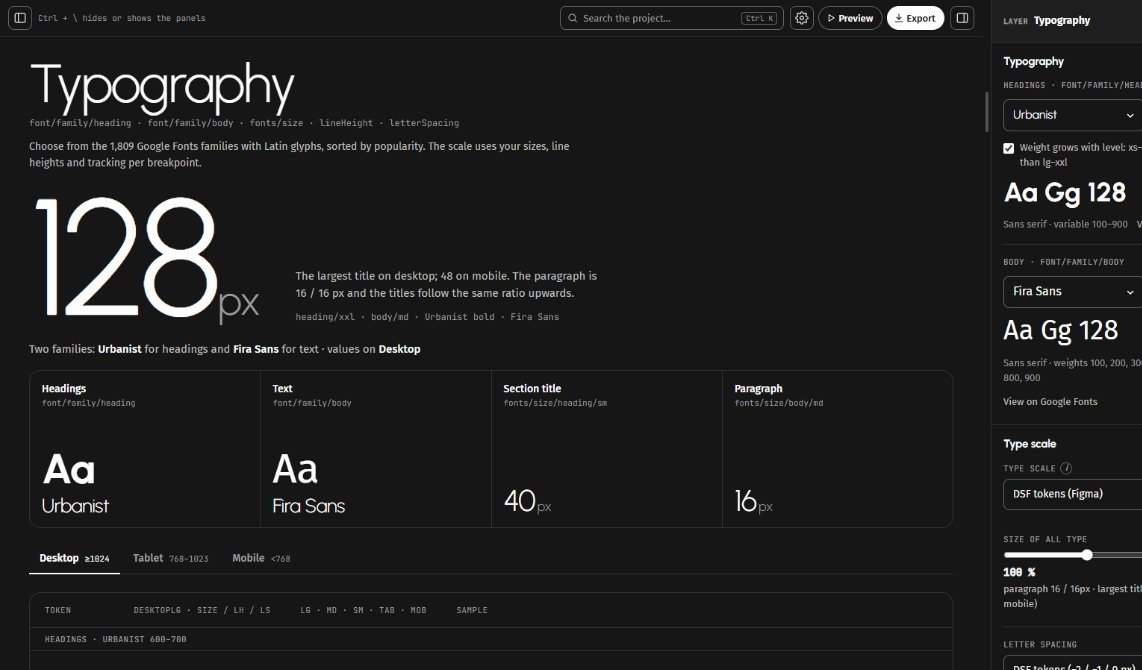
Typography, color, transparency, contrast, charts, spacing, radius, grid, elevation, borders, motion and iconography.
1,800+ Google Fonts
Choose one for headings and one for body text, with their weights. The type scale adapts to desktop, tablet and mobile.
6 icon libraries
Lucide, Heroicons, Phosphor, Material and more, in your choice of style. Build your kit and export it as SVG or PNG.
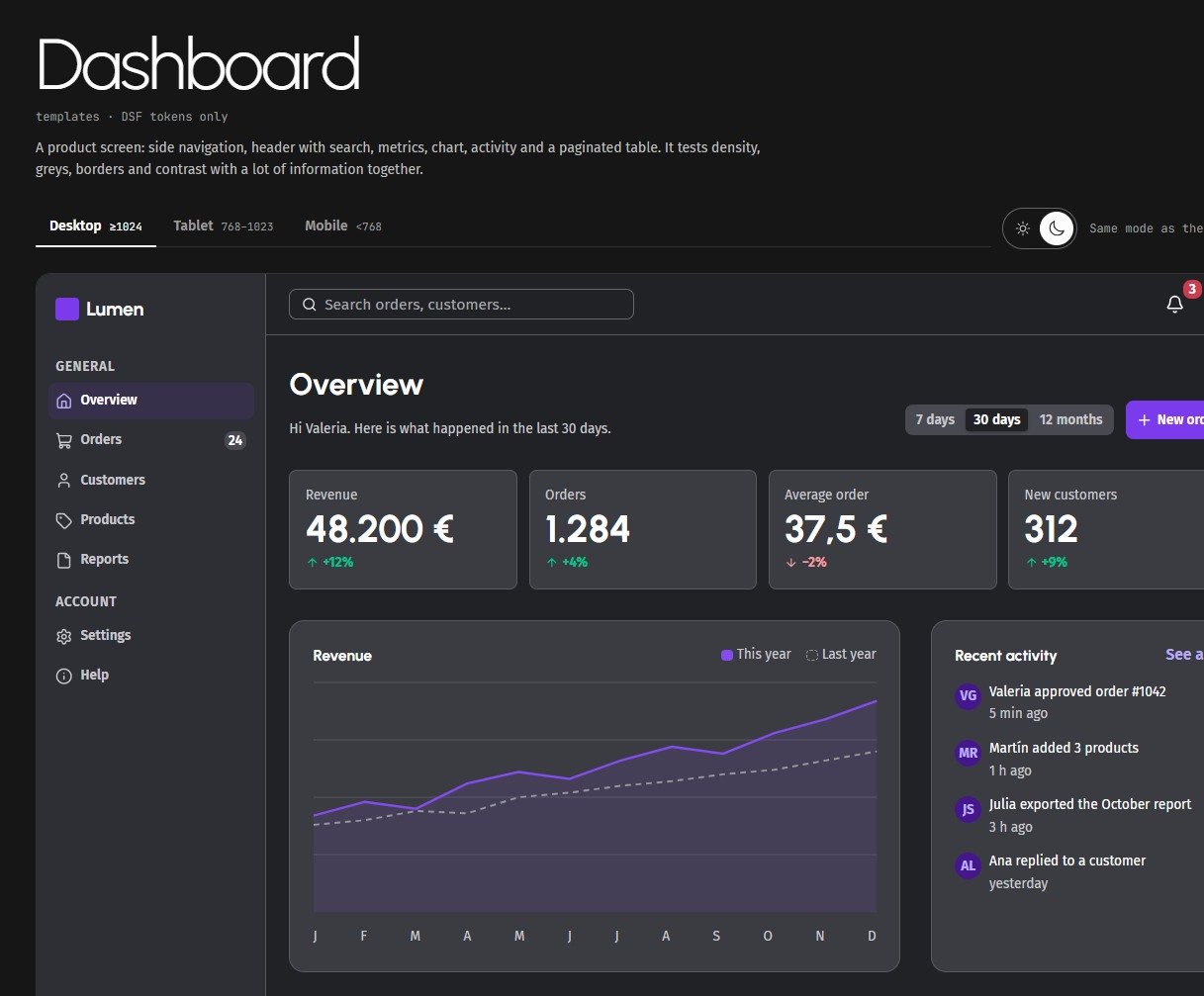
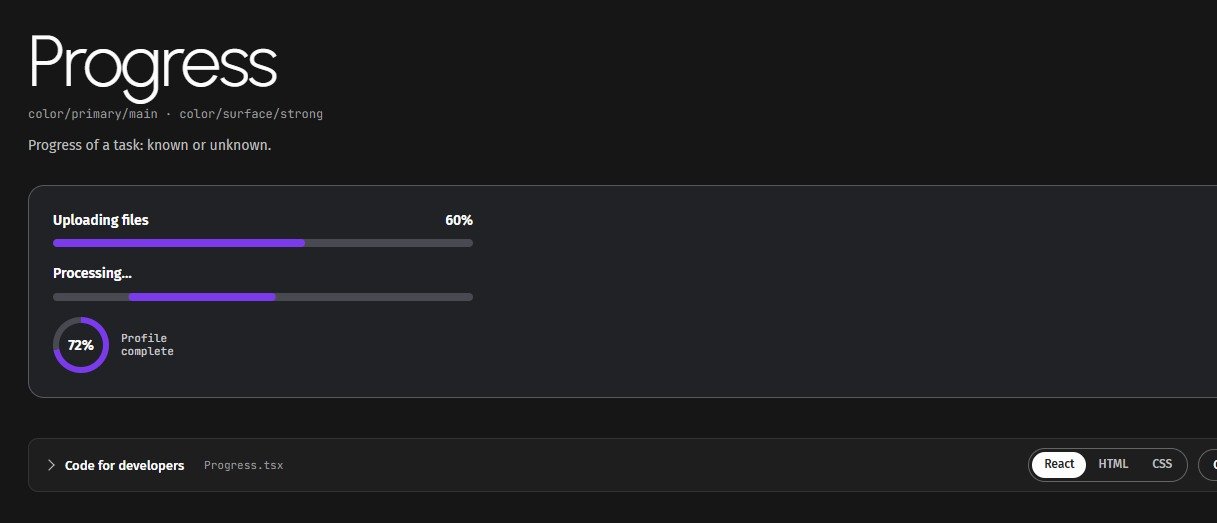
58 components and 6 templates
Built on the tokens, with live preview, in light and dark mode and across 5 breakpoints.
Built-in accessibility
Contrast is checked in real time against WCAG (AA/AAA), not as an afterthought.
Custom Figma plugin
DS Framework Sync creates the variables, styles and the Foundations, Components and Templates pages directly in the file.
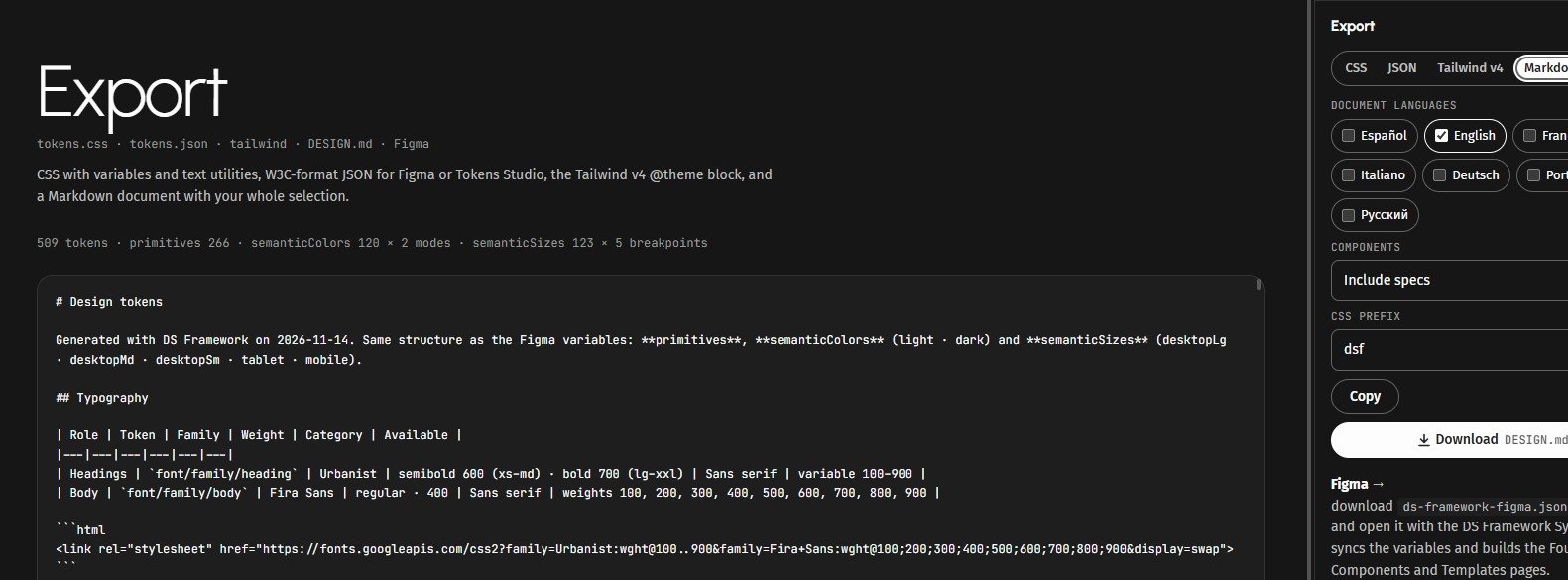
Ready-to-use export
Figma variables (JSON), CSS variables, a Tailwind v4 theme and a DESIGN.md so Claude and other AI assistants can design with your system.
The designer stays in control
Everything generated is an editable starting point. Manual adjustments always take precedence over automation.
Private, nothing to install
Runs in the browser, with no account, in 7 languages. Projects are saved only on your device.